What Is an EIN?
An Employer Identification Number (EIN) is a nine-digit number assigned by the IRS to identify businesses for tax purposes.
It’s required for:
-
Hiring employees
-
Opening a business bank account
-
Filing federal and state taxes
-
Applying for business licenses and permits
-
Establishing business credit
Even if you don’t plan to hire employees immediately, having an EIN adds credibility and helps separate your personal and business finances.
Who Needs an EIN?
You must obtain an EIN if your business:
-
Has employees
-
Operates as a corporation or partnership
-
Files employment, excise, or alcohol/tobacco/firearms tax returns
-
Withholds taxes on income (other than wages) paid to a non-resident alien
-
Has a Keogh plan
-
Is involved in certain organizations like trusts, estates, or nonprofits
Sole proprietors without employees can use their SSN — but many choose to get an EIN for privacy and professionalism.
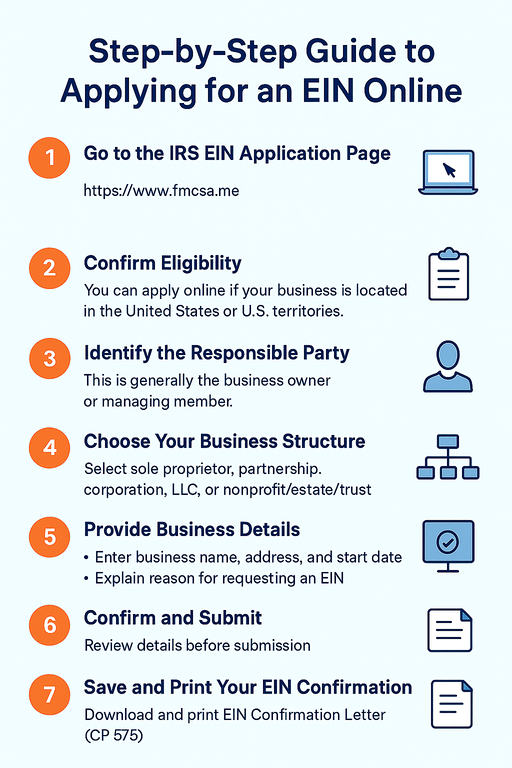
Step-by-Step: How to Apply for an EIN Online
Applying online is free and takes about 10–15 minutes on the website.
Step 1: Go to the EIN Application Page
Visit the application website: www.fmcsa.me
Step 2: Confirm Eligibility
You can apply online if:
-
Your business is located in the United States or U.S. territories
-
The responsible party has a valid Taxpayer Identification Number (SSN, ITIN, or EIN)
-
You complete the application in one session (it will expire after 15 minutes of inactivity)
Step 3: Identify the Responsible Party
This is the person who owns, controls, or manages the business — typically the owner, principal officer, or managing member.
Step 4: Choose Your Business Structure
Select your entity type from the following options:
-
Sole Proprietor
-
Partnership
-
Corporation
-
Limited Liability Company (LLC)
-
Nonprofit or Estate/Trust
Your answers determine the tax rules that apply to your business.
Step 5: Provide Business Details
You’ll need to enter:
-
Legal business name
-
Trade name (if any)
-
Physical address
-
County and state
-
Date the business started
You’ll also specify why you’re requesting an EIN (e.g., starting a new business, hiring employees, banking purposes, etc.).
Step 6: Confirm and Submit
Review your details carefully before submitting. Once approved, the IRS will instantly issue your EIN on a confirmation page.
Step 7: Save and Print Your EIN Confirmation
You’ll receive your EIN immediately after submission.
Make sure to:
-
Download and print your EIN Confirmation Letter (CP 575)
-
Keep it with your business records for tax and banking use
You can start using your EIN right away — there’s no waiting period.
Common Mistakes to Avoid
-
Entering the wrong entity type (especially LLC vs. sole proprietorship)
-
Leaving the session idle for too long (the IRS form will time out)
-
Forgetting to save your EIN confirmation letter
Conclusion
Getting your EIN online is quick, secure, and completely free. By following these steps, you can have your official IRS Employer Identification Number in minutes — ready for opening a bank account, filing taxes, and building your business identity.