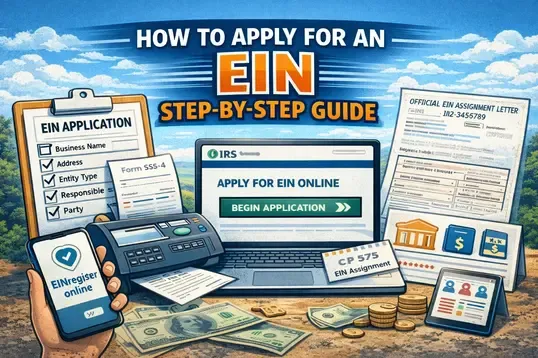
What is an EIN?
An EIN is a unique nine‑digit number assigned by the IRS to businesses, nonprofits, trusts, estates, and other entities. It’s used for federal tax filings, opening business bank accounts, hiring employees, and more.
Who Needs an EIN?
You generally need an EIN if your business will:
-
Hire employees
-
File employment, excise, or alcohol/tobacco taxes
-
Operate as a corporation or partnership
-
Manage certain trusts or estates
-
Apply for business licenses or permits
Even if not required, many businesses choose to get an EIN for privacy and financial separation.
Step‑by‑Step: How to Apply for an EIN
1. Determine Eligibility
Before you begin, make sure your business meets the basic requirements to apply for an EIN. Most U.S.‑based entities (LLCs, corporations, partnerships) qualify for online application.
Foreign‑based businesses can also obtain an EIN, but may need to file via fax, mail, or phone instead of online.
2. Gather Required Information
You’ll typically need:
-
Legal business name
-
Business mailing address
-
Entity type (LLC, sole proprietorship, corporation, etc.)
-
Responsible party information (name, SSN/ITIN/EIN)
-
Reason for applying (startup, hiring employees, banking, etc.)
If the responsible party doesn’t have an SSN or ITIN, foreign applicants still can apply using alternative methods by completing IRS Form SS‑4 and submitting it by fax or mail.
3. Apply Online (Fastest Method)
Most U.S. businesses can apply for an EIN online through the IRS:
-
Visit the IRS EIN application page https://www.einregister.online/
-
Click “Apply for an EIN Online”.
-
Select “Begin Application”.
-
Follow the prompts, entering your business details as requested.
-
Submit the application and receive your EIN instantly.
-
Save or print the Confirmation Letter (CP 575).
You can only complete the application in one session — it times out after ~15 minutes of inactivity.
5. Receive and Use Your EIN
Once your EIN is issued:
You’ll receive an official EIN Assignment Letter (CP 575) — this letter is your proof of EIN registration.
Use your EIN to:
-
Open business bank accounts
-
File federal and state taxes
-
Register for payroll and tax accounts
-
Apply for business permits and licenses
Keep the CP 575 letter in a safe place — it’s required for many business activities.
Tips to Avoid Delays
-
Ensure your business name and address match your state registration exactly.
-
Avoid submitting duplicate EIN applications for the same entity.
-
Use the EIN portal https://www.einregister.online/ for submission.